
Your sales, your invoicing and your margins at a glance, in 4 steps with a real image per step. It opens from the Analysis menu → Control Panel and Invoicing Report. Every button is explained in Analysis and Invoicing report.
The idea at a glance
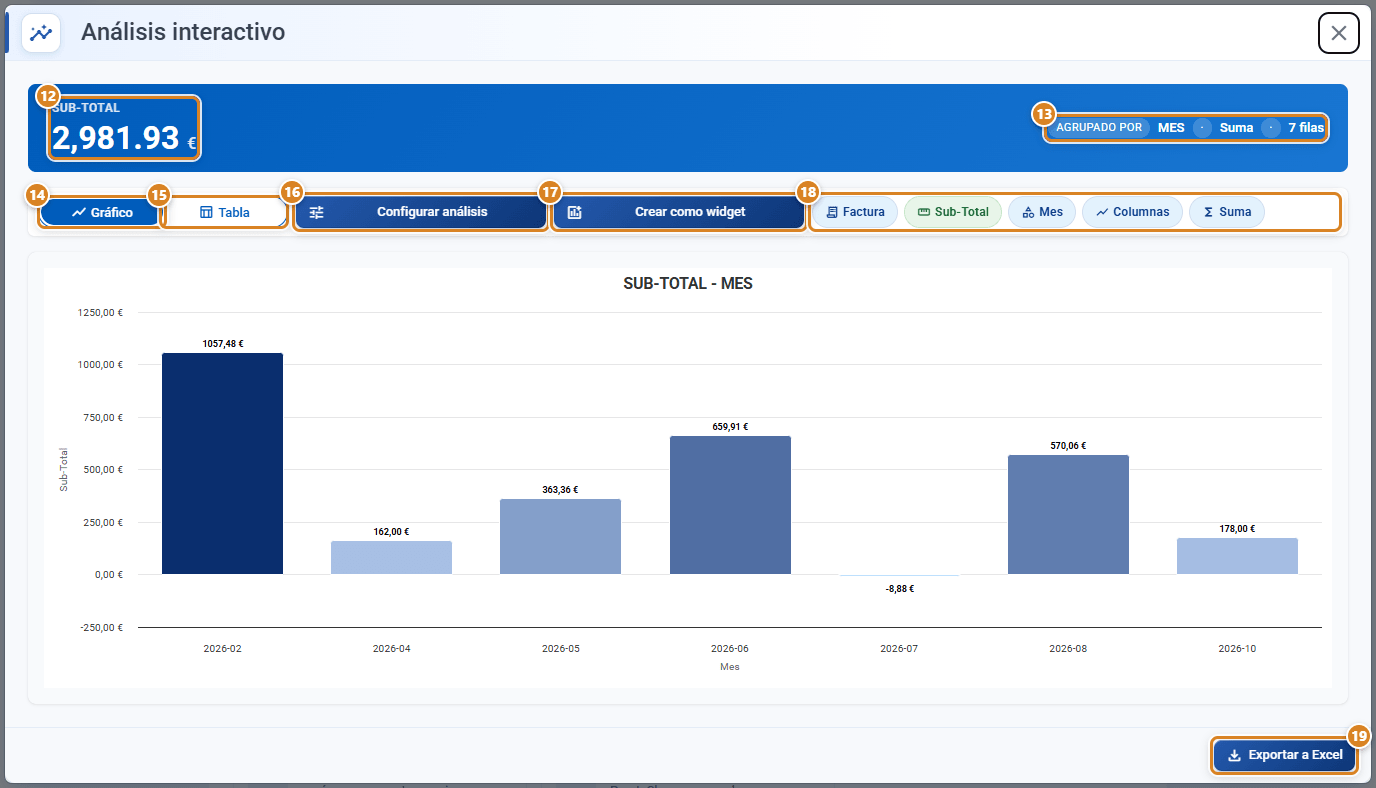
Step 1 · Analyse your numbers
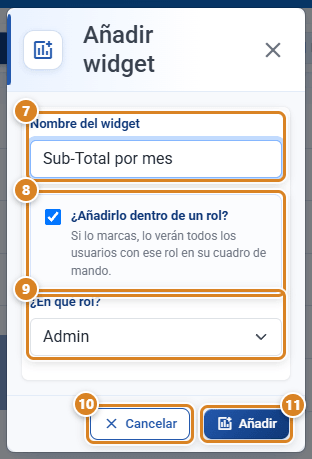
Step 2 · Save it as a widget, for you or for your team
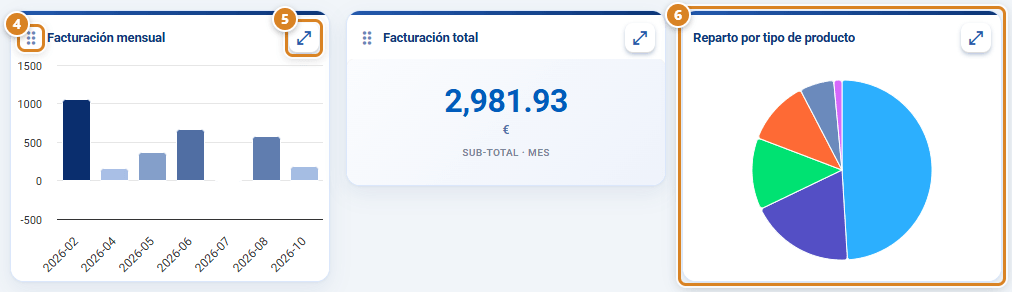
Step 3 · Your indicators, on the home page
Step 4 · Get the reports for your accountant
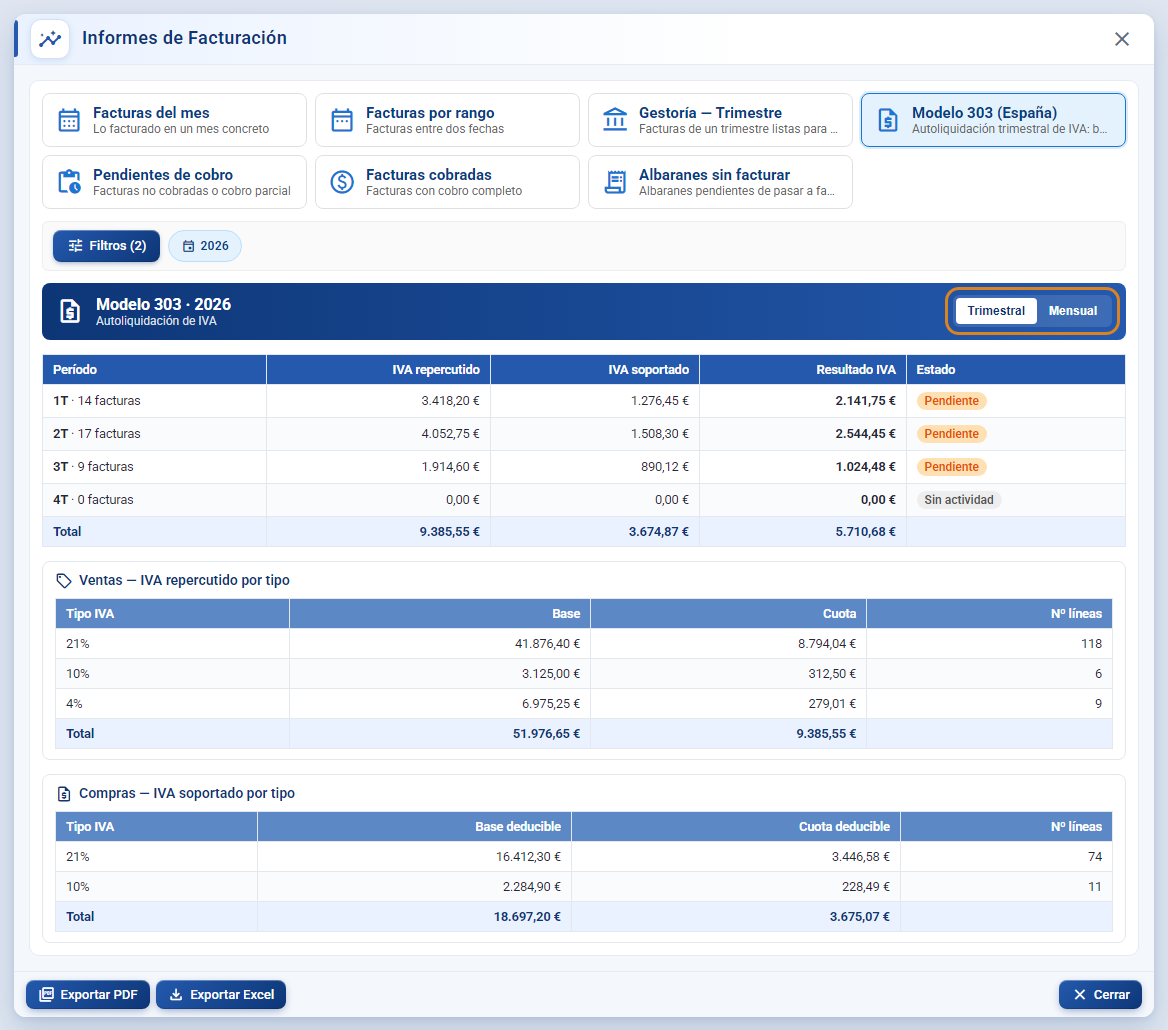
In Invoicing Report you also have Invoices for the month, Invoices by range, Accountant — Quarter, Form 347 (Spain), Form 111 (Spain), Awaiting payment (customer receivables), Paid invoices and Uninvoiced delivery notes; with Purchasing and Inventory, also Awaiting payment (supplier payables) and Supplier payments.
If something does not add up
| Symptom | Solution |
|---|---|
| I cannot see Control Panel or Invoicing Report in the Analysis menu | Your company does not have the module: it is in Settings → Available to add → "Dashboard and Reports". |
| The Costs, Margin or Pending payment metric does not appear | You are missing the permission that protects it (*** Visualización Coste Global (global cost view), *** Visualización Margen Global (global margin view) or Acceso Pago y Cobro (payments and collections access)). |
| The Commissions metric does not appear | Your company does not have the Commissions module or you are missing Acceso Pago y Cobro. |
| Create as widget is greyed out | The chosen metric needs a permission your role does not have. |
| Export to Excel, Export PDF or Export Excel greyed out | You are missing Permitir Exportar Datos (allow data export). |
Which plan you need
Dashboard and Reports is included in the Full plan; with Standard or Pro it can be added on its own, without changing plan, and its page offers Try free for 15 days if your company has never tried it. Details in Analysis § Features by plan / role.
Frequently asked questions
Q: Can I see each month's invoicing in a chart?
A: Yes: in Configure analysis, choose the metric and group by Month; switch to Table if you prefer the figures.
Q: Can I put a chart on the home page of everyone in a role?
A: Yes: Create as widget, tick Add it to a role? and choose the role.
Q: What do I send my accountant every quarter?
A: Invoicing Report → Accountant — Quarter or Form 303, with Export PDF or Export Excel.