
Note on wording: some labels are not translated yet and appear in Spanish even with the app in English — for example Cobrar todo, Revisar los cobros, No cobrar, No generar ticket, Por cobrar and SEPA / Banco. They are written here as you will see them, with a short English gloss in brackets.
Collecting from a customer in 4 steps, with one picture per step. The detail of each screen is in Collect payment and Payment instruments.
Payments in one picture
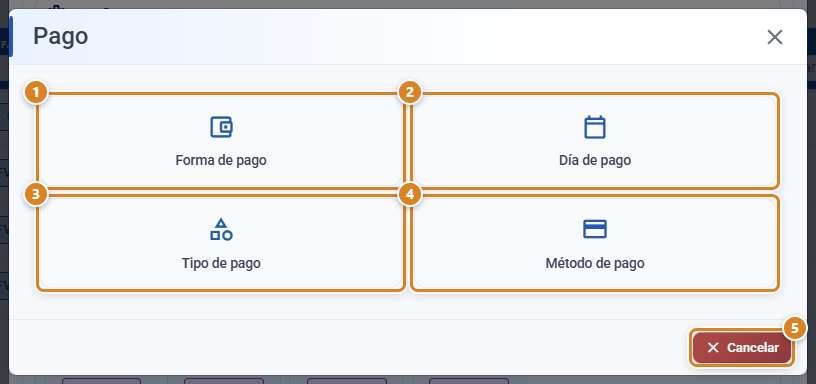
Step 1 · Set up how you get paid (once only)
Step 2 · Find the invoice you have been paid
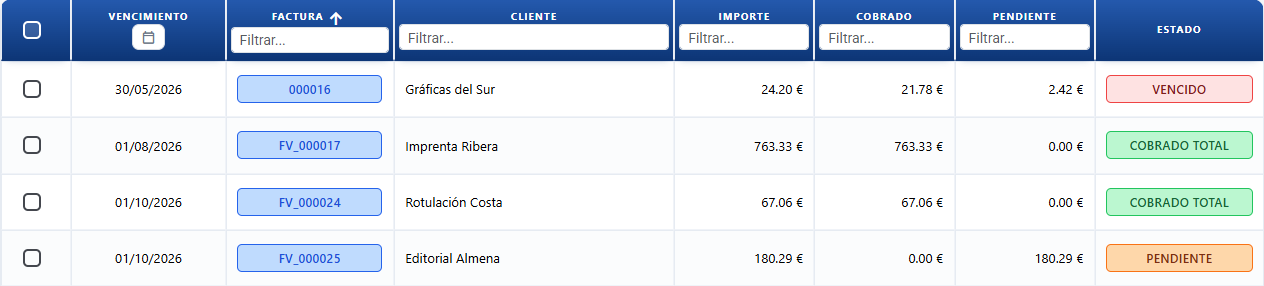
Sale → Payment instruments and click the invoice's row. You can also use Pay on the Invoices list.
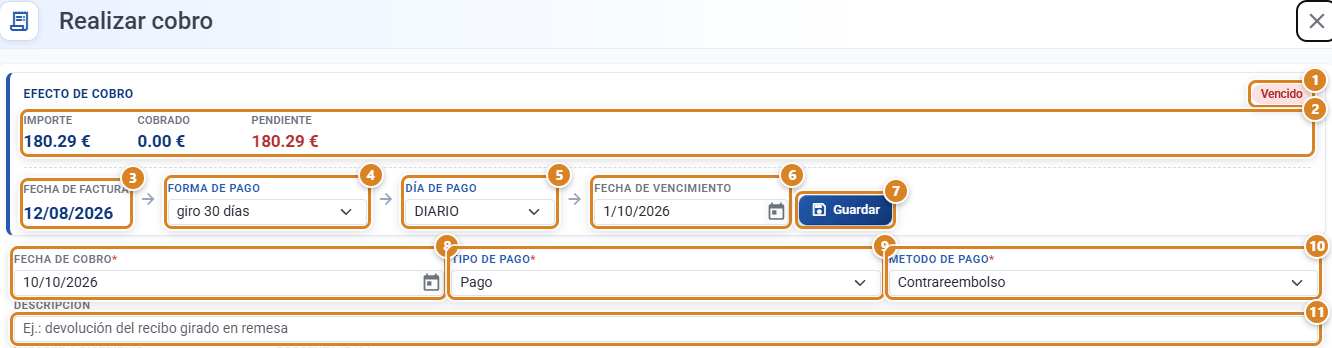
Step 3 · Log the payment
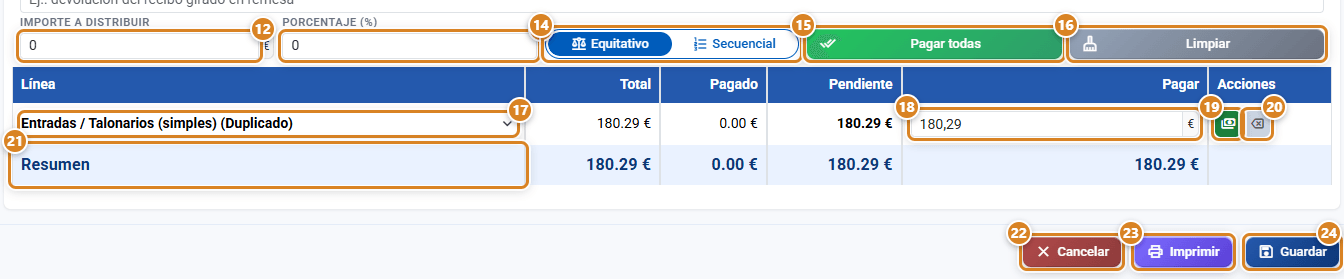
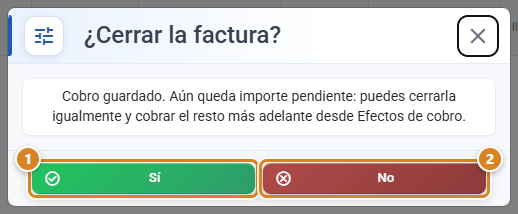
Step 4 · Close the invoice
Paid before you invoice? Deposit
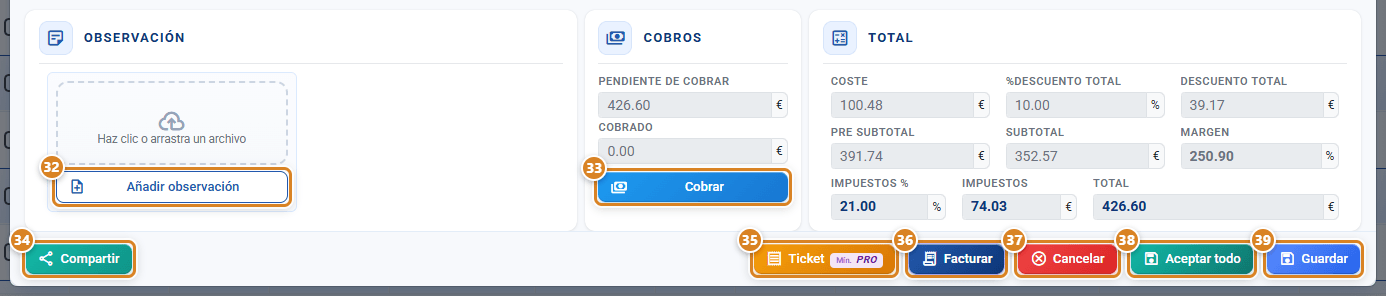
Counter sale: collect and close on the spot
If something does not add up
| Symptom | Solution |
|---|---|
| Save does not become active | Choose Payment type and Payment method (Step 1). |
| It will not let me put more in Pay | You cannot collect more than is left. |
| Ticket opens the sales settings | Choose the Cliente preterminado para la impresión de ticket (cliente genérico / contado): (default customer for ticket printing). |
| Close the invoice? does not appear | The invoice was already closed, or you collected from inside the invoice: there, use Invoice. |
Which plan you need
| Feature | Plan |
|---|---|
| Payments, deposits and Payment instruments | All (TRY+) |
| Ticket | Pro or higher |
| Bank reconciliation | Full |
Frequently asked questions
Q: How do I record payments or part payments from customers?
A: Sale → Payment instruments, click the invoice, type what they pay in Pay and click Save. If they pay in several goes, repeat it for each payment.
Q: The customer has paid me something on account. How do I record it?
A: As a normal payment, just for what they hand you. To refund money: Create Rectifying Invoice → Crear un abono (create a credit note).
Q: Where do I see what my customers owe me?
A: In Sale → Payment instruments, with Por cobrar (outstanding).
Q: Can I take payment before invoicing?
A: Yes: Charge on the work order. When you invoice, it already counts as collected.
Q: The customer has paid the whole invoice. Does it close on its own?
A: It asks you when you save: Close the invoice? → Yes.
Q: Can I close an invoice that has not been fully collected yet?
A: Yes. The outstanding amount stays in Payment instruments.
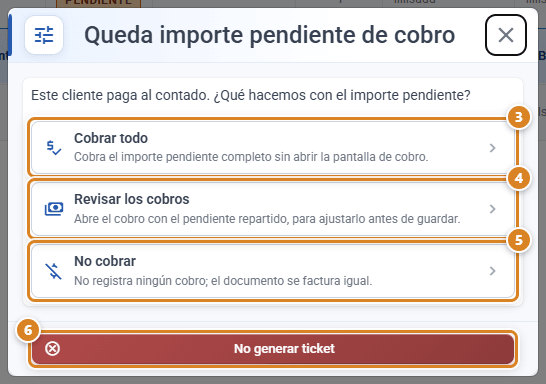
Q: Why does it not ask me about payment when I accept a work order?
A: Because the customer pays on terms. It only asks for customers who pay cash.
Q: How do I take payment for a counter sale on the spot?
A: With Ticket (Pro plan): it invoices, collects, closes and prints in one go.
Q: When I click Ticket, the sales settings open.
A: The counter customer is missing: choose the Cliente preterminado para la impresión de ticket (cliente genérico / contado):.
Q: I made a mistake in a payment. How do I correct it?
A: In the payment, expand the line and use Edit or Delete. See Collect payment.
Q: What is the difference between payment terms, payment type and payment method?
A: Payment terms = when they pay (it sets the due date). Payment type and Payment method = how they pay, chosen on each payment.
Q: Can I collect several receipts through the bank in one go?
A: Yes: in Payment instruments, tick the instruments and click SEPA / Banco. See bank reconciliation.